Best Smart Plugs for Renters in the UK
Smart plugs are the one no-trace smart upgrade for renters. What they can't do, when the savings are real at 26p/kWh, and what happens in an outage.
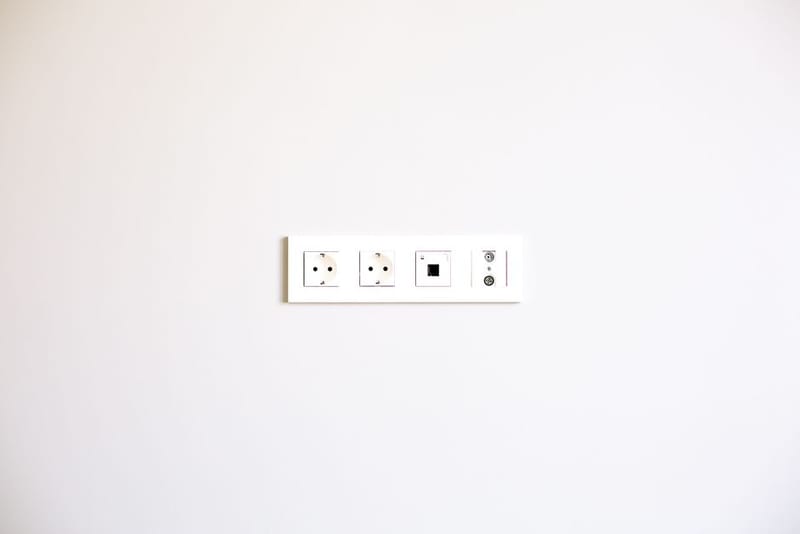
If you are dipping a toe into home automation in a rented flat, a smart plug is the obvious first step. It costs little, installs in seconds by plugging into an existing socket, and does two genuinely useful jobs: switching things on and off from your phone or voice, and showing you exactly what your appliances cost to run. Nothing else in a smart home gives you that much for so little.
What can you do with a smart plug?
More than the name suggests. A smart plug sits between the socket and whatever you plug in, so it can switch lamps, fans, heaters, Christmas lights or a coffee machine on and off from an app, by voice, or on a schedule. You can set lamps to mimic occupancy while you are out, have a fan turn off automatically at bedtime, or make sure the iron is definitely off from your phone. It turns any dumb appliance into a controllable one without modifying it.
Why does energy monitoring matter?
Because it turns vague worry about bills into hard numbers. A smart plug with energy monitoring measures the power an appliance actually draws and reports the running cost, which is the only way to find the quiet culprits: the second fridge in the utility cupboard, the desk setup that never really powers down, the electric heater that is far dearer to run than it feels.
Be careful what you expect from that, though. Measuring is not the same as saving, and the size of the saving depends entirely on what you find. The section below does the arithmetic honestly, because the standard claim that a smart plug pays for itself on standby costs does not survive contact with the numbers.
What should you look for in a smart plug?
Focus on a few things:
- Energy monitoring, so you can see running costs, not just switch power on and off
- No required hub, so the plug talks to your phone over WiFi directly
- Voice-assistant support if you use Alexa or Google Home
- A compact body that does not block the second socket on a double outlet
- Scheduling and timer features in a free app with no subscription
Do smart plugs need a hub?
The best ones for renters do not. WiFi smart plugs like the Tapo P110 connect straight to your home network and your phone with no separate hub to buy or find space for, which suits a rental perfectly. Some ecosystems, particularly Zigbee-based ones, do need a hub, which adds cost and another box; unless you are building a larger system, a simple hub-free WiFi plug is the easier and cheaper choice.
What can't a smart plug do in a rented flat?
This is the limit worth understanding before you buy several. A smart plug only controls things that plug into a socket. Everything wired into the fabric of the flat is out of reach: ceiling lights and their wall switches, the bathroom extractor fan, the immersion heater, an electric shower, a wired-in storage heater, the oven and hob.
The device that would control those is a smart switch, and that is where renting bites. Many UK lighting circuits are wired as a switch loop, with no neutral conductor at the switch backbox, and most smart switches need one. Even where the wiring cooperates, swapping a switch means altering the fixed wiring in somebody else's property, so it needs the landlord's written permission. In a rented flat that is usually where the conversation ends, which is precisely why the plug is the renter's tool: it changes nothing, and it leaves with you.
One more limit catches people out. A smart plug switches the socket, not the appliance. Plenty of devices do not return to their previous state when power comes back: a TV wakes up off, a fan heater may need its own button pressed, a desktop PC stays down unless its BIOS is set to power on after a mains loss. Before you build a schedule around something, cut its power at the wall and restore it, and see whether it comes back by itself.
Do the savings actually add up?
Often less than the marketing suggests, and the arithmetic is simple enough to do yourself. Under the Ofgem price cap for 1 July to 30 September 2026, Direct Debit electricity is 26.11p per kWh including VAT. Anything left drawing one watt continuously uses 8.8 kWh over a year, which is about £2.29. That single figure is the whole model: multiply by the watts, scale by the hours.
What continuous draw costs at 26.11p/kWh
- 1W, left on all year
- 8.8 kWh, about £2.29.
- 5W, left on all year
- 43.8 kWh, about £11.44.
- 20W, 16 hours a day
- 116.8 kWh, about £30.50.
- 500W, 2 hours a day
- 365 kWh, about £95.30.
- 2,000W, 1 hour a day
- 730 kWh, about £190.60.
Read the top row again, because it is the one that settles the standby question. Modern appliances sold in the UK have to meet ecodesign standby limits measured in fractions of a watt, so a television sitting in true standby is costing you somewhere around a pound a year, not the figure that gets quoted. Switching it off at a smart plug cannot save more than that, and the plug itself is a powered device sitting on your wifi around the clock, drawing its own small amount continuously. Check that draw on the spec sheet, because it comes off whatever you save. On a genuine low-standby device, a smart plug can plausibly cost you more than it saves.
The lower rows are where the money actually is, and they have nothing to do with standby. They are things that are properly on when you are not using them: a desk cluster of monitor, dock, speakers and printer that idles all evening, a towel rail nobody turns off, an oil-filled radiator in a cold bedroom. A plug that cuts an hour a day off a 2kW heater is worth more than every standby device in the flat put together. So the sensible way to buy is one plug with energy monitoring first, used as a meter to find out where your watts are going, and more plugs only where the reading justifies one.
Two safety notes if heaters are your target, since that is where the savings point. Check the plug's rating against the appliance: a UK 13A socket tops out around 3kW, but not every smart plug is rated to 13A, and a 10A model is already marginal for a 2.5kW heater. And think twice before switching a portable heater on remotely when you cannot see it, because you cannot confirm from your phone that nothing has been left draped over it. Scheduling a heater off is a different proposition from scheduling one on.
What happens when the wifi drops?
Worth knowing before you rely on a schedule, and worth more attention in a rental than a homeowner would give it, because the broadband may be the landlord's, shared across a building, or the cheapest package the last tenant could find.
The behaviour splits by where the schedule is stored. Some plugs keep their timers on the device itself and will keep firing through a router reboot or an internet outage, since the plug is only consulting its own clock. Others hold the schedule in the manufacturer's cloud and need a working connection to act on it, so an outage means the lamp simply does not come on. Manufacturers are not always clear about which they do, and it is the single most useful thing to establish before you trust a plug with anything that matters.
Whatever the answer, the physical button on the plug keeps working, so nothing is ever stranded on or off. The practical test takes two minutes: set a schedule a few minutes out, pull the router's plug, and see whether it fires.
What happens at move-out?
Nothing, which is the point of the whole category. There is no adhesive, no drilling and nothing to make good, so a smart plug leaves no evidence it was ever there and cannot become a deposit argument. That is a genuinely different position from almost every other smart-home upgrade.
Do factory-reset each plug before you hand the keys back, though. A plug that is still bound to your account and still holding the flat's wifi credentials is a loose end for both sides, and the reset is usually a long press on the button. Pull your schedules and any energy history you want to keep out of the app first, because the reset takes them with it.