Blink Mini 2
An ultra-affordable plug-in camera that can be used indoors or outdoors to monitor your space.
Strengths
- Very affordable price point
- Includes color night vision and a spotlight
- Can be used outdoors with optional adapter
Watch outs
- Premium features like person detection require a subscription
- Local storage requires a separate Sync Module 2
- Video can be softer than 2K competitors
We may earn a commission if you buy through this link - it never changes the price you pay or our editorial verdict.
As an Amazon Associate I earn from qualifying purchases.
What do you need to use it outdoors?
An extra purchase, and it is easy to miss. Blink rates the Mini 2 for outdoor use only when it is powered by the Blink Weather Resistant Power Adapter, which is sold separately or bundled. With that adapter Blink lists the camera as IP65 weather resistant; with the ordinary indoor plug it is an indoor camera.
For a renter this changes the sums twice over. The adapter is a second thing to buy, and it still terminates in a mains plug that has to reach an indoor socket, so an outdoor position usually means running the cable back through a window or door. That is worth planning before you buy, because a camera that ends up permanently indoors pointed through glass will struggle at night: the spotlight reflects off the pane and washes out the shot.
Do you have to pay a subscription?
Not to use the camera, but you do to get its most useful alert. Blink lists Person Detection on the Mini 2 as available only with an optional Blink Subscription Plan. Without one the camera still detects motion and still records, but it cannot tell you whether the motion was a person, a passing car or a branch moving. On a camera pointed at a shared entrance or a street-facing window, that distinction is most of the value.
Storage splits the same way. With a subscription, Blink provides cloud storage, and it publishes a shorter window for the UK and EU than for other regions: 30 days rather than 60. Without a subscription you can record locally instead using a Sync Module 2, which stores clips on a USB drive you supply. The local route costs more up front and nothing thereafter, which for a tenancy of a year or two usually works out cheaper.
How does it mount in a rental?
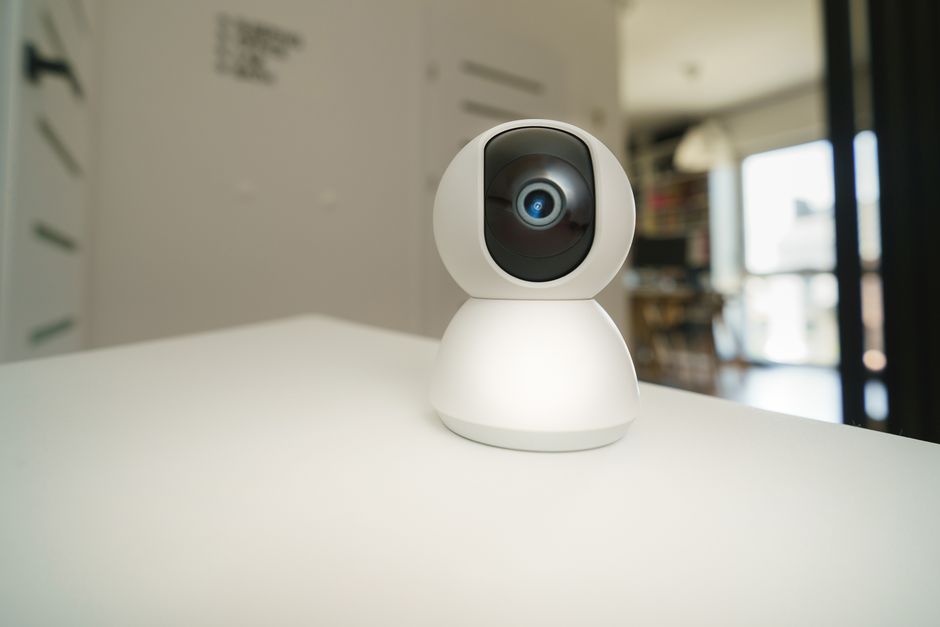
This is where the Mini 2 is genuinely easy. It is a small plug-in camera on a stand, so the default installation is to stand it on a shelf, windowsill, bookcase or worktop and plug it in. No fixings, no holes, nothing to make good when you leave, and nothing to explain to a landlord at check-out. If you want it higher or angled, the base can be screwed down, but that is a choice rather than a requirement.
The practical limits are the socket and the sightline. Because it is mains powered rather than battery, the camera has to live near a plug, and because it is small and light it is easy to knock out of alignment while cleaning. Owner reviews frequently note that re-aiming it is a regular chore. In a flat share that is worth thinking about, since a camera that has quietly drifted to face a wall is worse than no camera at all.
What is the video actually like?
Blink specifies up to 1080p, or 1920 by 1080 pixels, at up to 30 frames per second. That is standard HD rather than the 2K several rivals now offer, so there is less headroom to crop into a frame and still read a face or a plate. For its usual jobs, checking whether a parcel arrived or who came to the door, 1080p at 30fps is adequate, and the higher frame rate means motion looks smoother than on some 2K cameras that drop to 20fps.
Night footage is the more interesting part. Rather than switching to monochrome infrared, the Mini 2 has a built-in spotlight that turns on when motion is detected, giving colour night view. Colour is more useful for identification because clothing and vehicle colour often carry the detail you need. The obvious cost is that the spotlight announces itself, which indoors can be startling and outdoors can annoy a neighbour.
What are its limits for renters?
The subscription question is the one that decides it. If you want person alerts, you are committing to a recurring cost for as long as you use the camera, and that cost continues after you move. If you would rather not, budget instead for a Sync Module 2 and a USB drive and treat the camera as a one-off purchase.
The second limit is that everything depends on a socket. There is no battery option, so unlike a battery doorbell or camera you cannot simply put it where the view is best. Outdoors that means the weather resistant adapter plus a cable route indoors, and each of those steps is a place where a tidy renter-friendly installation turns into a cable taped along a frame. It is worth deciding the exact position, and how the cable gets there, before ordering the extras.