TP-Link Tapo C120
A budget-friendly 2K camera with free AI detection and a magnetic base for easy renter installation.
Strengths
- No mandatory subscriptions for core features
- Sharp 2K resolution video quality
- Magnetic base makes mounting incredibly easy
Watch outs
- Audio quality from the built-in microphone is poor
- USB connection point is not fully weather sealed
- Lacks Apple HomeKit support
- Resolution 2K QHD (2560 × 1440)
- Weatherproofing IP66 rated
- Night Vision Color night vision with dual spotlights
- Storage MicroSD slot (up to 512GB)
We may earn a commission if you buy through this link - it never changes the price you pay or our editorial verdict.
As an Amazon Associate I earn from qualifying purchases.
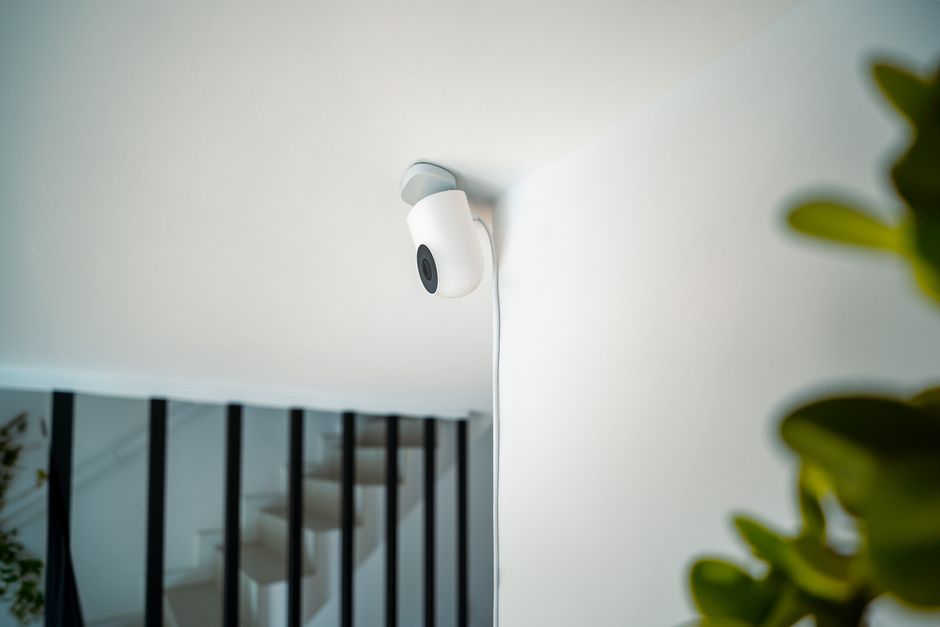
Can you fit it without drilling?
Partly, and that is better than most outdoor cameras manage. TP-Link supplies an adjustable magnetic base along with mounting screws and wall anchors, so you have two routes. The magnetic base lets you stand or stick the camera on a shelf, sill or any steel surface and re-aim it by hand, which leaves nothing behind when you move out. The screw plate is the alternative, and it is the one to think twice about in a rental: two fixings in an external wall is a making-good job at check-out, and on a rendered or brick wall that is not a filler-and-paint fix.
The 3m USB-C cable decides the rest. An outdoor position almost always means routing that cable back through a window or door frame to an indoor socket, because the supplied adapter is an ordinary indoor 5V plug rather than an outdoor-rated one. Renters usually end up siting it just inside the glass or immediately outside a ground-floor window.
Does it need a subscription?
No, and this is the C120's clearest advantage over the subscription-led brands. TP-Link lists smart AI detection covering people, pets and vehicles as a free feature, so the notifications most people actually want are not paywalled. That matters because on several competing cameras, person detection is the single feature held back for paying customers, which turns a cheap camera into a recurring cost.
Recording is local by default. The camera takes a microSD card of up to 512GB, sold separately, and writes footage to it. TP-Link also sells Tapo Care, a cloud subscription with a free first month, which adds cloud clip storage on top. For a renter the local route is usually the right one: there is no monthly bill, and the footage stays in the flat rather than on a service you would have to keep paying for after you move.
What does the 2K resolution actually buy you?
TP-Link specifies 2K QHD at 4MP, or 2560 by 1440 pixels, running at up to 20 frames per second. Against a 1080p camera that is roughly double the pixel count, and the practical benefit is not a prettier picture so much as usable detail when you crop in. A face or a number plate that is a smear at 1080p can survive a zoom at 2K.
The trade-off is the frame rate. 20fps is fine for the job a security camera does, which is telling you what happened and roughly when, but it is below the 30fps that video intended for smooth motion uses. Fast movement close to the lens will look slightly stepped. The lens covers 120 degrees measured diagonally and 103 degrees horizontally, which is wide enough for a doorway, a hallway or a small garden without the heavy barrel distortion of an ultra-wide.
How well does it see in the dark?
Two ways, and they produce very different footage. In infrared mode the camera uses an IR LED rated by TP-Link to about 9m, and the picture is monochrome. TP-Link lists both an 850nm and a 940nm variant: 850nm is the more common and slightly brighter option but emits a faint red glow from the lens at night, while 940nm is effectively invisible to the eye. If you are pointing a camera at your own front door in a shared building, the invisible option attracts noticeably less attention.
The second mode uses a starlight sensor with dual spotlights to produce full-colour night footage. Colour is far more useful for identification, since clothing and vehicle colour are often the only distinguishing details available, but the spotlights are visible and will light up a window or a neighbour's wall. In a flat with close neighbours that is worth testing before you commit to a position.
Where does it fall short in a rented flat?
The wired power is the real constraint. A battery camera can go wherever the view is best and be moved on a whim; the C120 has to live within 3m of a socket, or within an extension lead of one. Every renter-friendly placement question comes back to that cable, and running it through a window seal is the usual compromise.
The IP66 rating applies to the camera body, not to the mains adapter on the other end of the cable, so a fully outdoor installation needs a weatherproof socket or an outdoor-rated enclosure you would be adding yourself. Owner reviews commonly describe the magnetic base as the feature that makes the camera easy to live with, but a magnet only helps where there is something ferrous to hold it, which in most modern flats means buying a small steel plate or using the screws after all.
Does the Tapo C120 work without a microSD card?
Is person detection really free?
Can I mount it outside without making holes?
How far does the night vision reach?
Will 20 frames per second be a problem?
- Resolution
- 2K QHD (2560 × 1440)
- Weatherproofing
- IP66 rated
- Night Vision
- Color night vision with dual spotlights
- Storage
- MicroSD slot (up to 512GB)
- Power
- USB-C wired (9.8ft cable included)