Smart Home for Renters: The No-Drill Setup Guide
Build a renter-friendly smart home with no drilling and no wiring: what to choose, how to set it up room by room, and how to take it all with you.
A rented flat rules out most of what smart home guides assume you can do. No drilling into the walls, no swapping light switches, no cable run behind the plasterboard, and since May 2026 no fixed date on the tenancy either. A smart home for renters has to work inside those limits. Almost everything worth having now does.
The organising principle is reversibility. Every device in a renter's setup should come off the wall without a filler and a paintbrush, and re-pair to a new network in a new flat without special hardware. That rules out a surprising amount of what gets recommended online, and it still leaves a system that handles lighting, security, energy monitoring and air quality.
What makes a smart device renter-safe?
Three tests. A device that passes all three belongs in a rental; one that fails any of them belongs in a house you own.
It leaves no mark. The device plugs into a BS 1363 socket, screws into an existing bulb fitting, sits on a shelf, or mounts with adhesive designed to release. Nothing goes into the plaster, the brickwork or a door frame.
It needs no mains wiring. Anything that replaces a wall switch, a ceiling rose, or a circuit at the consumer unit is electrical work on someone else's property. That is a different category of job with different rules, and it is not a job for a tenant.
It is not tied to the building. When you move, the device re-pairs to a new router and a new ecosystem without needing hardware you had to leave behind. This is where Matter (a cross-vendor smart home standard backed by Apple, Google, Amazon and Samsung) earns its place. A Matter device can be paired to more than one ecosystem, so a change of platform in the next flat does not strand the hardware. The current released specification is Matter 1.6, published in June 2026.
Many Matter devices run over Thread (a low-power mesh network that needs a border router to reach your wifi). A lot of smart speakers and displays already act as that border router, which is why most renters do not need to buy a separate one.
Why does the 2026 tenancy change matter?
The Renters' Rights Act is the 2025 statute that reformed private renting in England, and it came into force on 1 May 2026. It changed the shape of a private tenancy. Assured shorthold tenancies converted to assured periodic tenancies, which roll on with no fixed end date. Section 21 no-fault eviction was abolished, and a landlord ending a tenancy now has to give grounds and two months' notice. The full summary is on the GOV.UK overview for tenants.
That has a direct consequence for how you kit out a flat. Your tenancy no longer has a date on it. You have more security than you did, and simultaneously less ability to say "we are here until next August, so this is worth installing". A setup that takes one evening to uninstall is worth more than one that saves you five minutes a day.
One thing the Act did not do is give tenants a general right to alter the property. It restructured the tenancy; it did not rewrite what counts as permitted work. Permission for anything fixed still comes down to the wording of your agreement. Read it before you put a screw in anything.
Where should you start?
Smart plugs, every time. They are the cheapest entry point, the most reversible, and the only category that pays for itself in a measurable way.
A smart plug does three useful things in a rental. It puts a lamp or a heater on a schedule without touching the wiring. It kills standby draw on a TV, games console or desk setup that would otherwise idle all year. And with energy monitoring built in, it tells you what a specific appliance actually costs to run, which turns an argument about the electricity bill into a number.
Two practical UK details. Sockets here are the 3-pin BS 1363 type, so check the plug body is slim enough not to block the second socket in a double outlet - bulky units routinely do. And if the socket is behind furniture, a plug with a physical button on the front is worth more than one that is app-only, because you will want to override it by hand.
Our guide to smart plugs for renters covers what to look for in more detail, including why energy monitoring is the feature worth paying for.
How do you light a rental without touching the wiring?
Two routes, and they suit different rooms.
Smart bulbs in the existing fittings. Check the fitting before buying anything. UK homes use B22 bayonet (the two-pin push-and-twist fitting) alongside E27 and E14 screw fittings, and bayonet is still common on ceiling pendants. A lot of smart bulbs ship as E27 by default, sometimes with an adapter in the box, so the fitting type is the first thing to confirm rather than the last.
Lamps on smart plugs. For a whole room lit by two or three lamps, a smart plug per lamp costs less than a smart bulb per lamp and the bulbs stay ordinary. You lose colour and dimming, and you gain a system that any visitor can operate.
Both routes hit the same problem: a smart bulb needs power at all times, so the wall switch has to stay on. Cut the power at the switch and the bulb drops off the network. The renter-friendly fix is a battery-powered wireless switch stuck to the wall beside the existing plate. It sends a radio command instead of cutting the circuit, it runs for a year or two on a coin cell, and it peels off when you leave. A switch guard that physically stops the plate being flipped does the same job for less money and less elegance.
What not to do is replace the wall switch with a smart one. That is mains work on a fixed fitting, and it fails two of the three tests above.
Which sensors actually earn their place?
Sensors are the strongest category for renters because they are all battery-powered, all adhesive-mounted, and all portable by design. Four are worth the money.
A leak sensor under the kitchen sink, behind the washing machine, and near the boiler. In a rental the repair bill belongs to the landlord, but the disruption, the ruined belongings and the deposit argument belong to you. A sensor that alerts your phone at the first drop is the highest-value ten-pound device in the flat.
A temperature and humidity sensor in the worst-ventilated room. Damp and condensation are the defining problem of British rented housing, and the argument with a letting agent goes very differently when you have months of logged humidity readings rather than a description. Pair this with our guide on stopping damp and condensation in a rented flat.
A CO2 monitor if you work from home. Carbon dioxide builds up fast in a small closed room, and the effect on concentration arrives well before you notice the air feels stale. We cover the thresholds that matter in CO2 monitors for a home office.
Contact sensors on the front door and any accessible window. Two adhesive pieces that need to sit within a few millimetres of each other when closed, which is the one fitting detail worth checking on an old, slightly warped rental window.
Can you fit a video doorbell without drilling?
Yes, provided you pick a battery model. A battery doorbell needs no transformer, no existing chime and no wiring, which removes the entire reason wired doorbells are off-limits to tenants. It charges by USB every few months.
Mounting is the part people get wrong. Most battery doorbells ship with a screw plate and an adhesive plate in the same box, and the adhesive plate is the one you want. Clean the surface with isopropyl alcohol first, because uPVC door frames carry a residue that defeats adhesive. Where the door frame is unsuitable, a no-drill bracket that hooks over the door edge or clamps to a handrail avoids the fabric of the building entirely.
Two constraints specific to flats. If you enter through a communal door, you generally cannot fit anything to it - that is the freeholder's or managing agent's decision, not your landlord's. And a doorbell camera that records beyond your own property boundary brings data protection duties with it, so angle it at your own doorway rather than the shared hallway or the street.
The same no-drill thinking applies to the rest of a flat's security. Our guide to securing a rented flat without drilling covers portable locks and window fittings.
Do you need a hub, or will a speaker do?
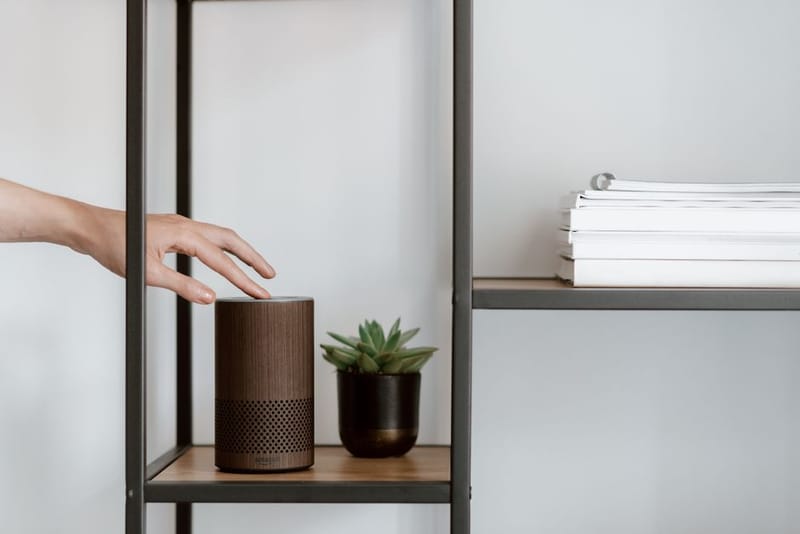
For a plug-and-play setup, a speaker does. A smart speaker or display from whichever ecosystem you already use handles voice control and basic automation, and most current models double as a Thread border router, which is the piece that lets low-power Matter devices reach your network. Buying a separate hub on top of that duplicates hardware you already own.
The reason to care about Matter here is exit cost rather than features. A renter changes flats, housemates and sometimes phones more often than a homeowner changes anything, and a Matter device paired into two ecosystems at once is insurance against the next setup looking different from this one.
There is a deeper version of this - a self-hosted controller running everything locally, with automations that survive an internet outage and logging that goes back years. That is a genuinely different lane, and it needs a machine that stays powered on. If it appeals, our sister site covers it in Home Assistant explained. For a rental you plan to leave, it is not required.
What about wifi and the landlord's router?
The network is where renter smart homes fail, and it fails for reasons that do not come up in an owner-occupied house.
Furnished lets sometimes include broadband on a router you have no admin password for. If you cannot change settings, you have two options: run your own router behind theirs, or take your own broadband contract. Both are cleaner than fighting the hardware.
Most inexpensive smart devices are 2.4GHz only. Modern routers advertise 2.4GHz and 5GHz under a single network name, and pairing a 2.4GHz-only device to a combined network fails silently more than it should. Temporarily splitting the bands into two named networks during setup solves it, and you can merge them again afterwards.
Device count is the other ceiling. A budget router supplied with a broadband package starts struggling somewhere around thirty connected clients, and a smart home reaches that number faster than you expect once every bulb counts. Finally, avoid putting smart devices on a guest network: client isolation is the whole point of a guest network, and it stops your phone seeing the devices.
How do you pack it all up on moving day?
Order matters more than speed. The common mistake is pulling everything off the walls first and dealing with the apps later, which leaves a box of devices still bound to accounts and a fiddly evening at the other end.
Unpair before you unplug. A device removed from power while still registered to an account is harder to re-add than one that was cleanly removed, and some will refuse to pair to a new account until the old registration is released. Work through the app first, device by device, then start peeling things off walls.
Note down your automations and routines
Almost nothing exports cleanly between ecosystems. A screenshot of each routine saves rebuilding from memory.
Remove each device in the app, then factory reset it
Removing in-app releases the account binding; the reset clears the stored wifi credentials for your old flat.
Revoke shared access
Housemates, partners and former flatmates often still have access to cameras and locks. Remove them before you remove the devices.
Warm adhesive pads before peeling
Thirty seconds with a hairdryer softens the adhesive. Pull slowly at a shallow angle along the wall rather than straight out.
Put the original bulbs back
Keep the bulbs you took out in the box the smart ones came in, and swap them back before the final inspection.
Keep the boxes, manuals and reset pins
The tiny pin for the reset hole is the part that goes missing, and re-pairing without it is awkward.
Photograph the walls
A before-and-after of each mounting point is the cheapest deposit insurance available.
What should renters avoid?
The list of things to skip is short, and every item on it is something that gets recommended in general smart home guides written for homeowners.
Anything replacing a wall switch or ceiling rose. Mains work on a fixed fitting, in a property you do not own.
Smart locks that replace the cylinder. Changing the lock usually breaches the tenancy agreement outright, and it leaves the landlord without access they are entitled to. The renter equivalent is a portable door lock that clamps to the strike plate from the inside and comes off when you leave.
Hardwired cameras and wired doorbells. Both need a power run you cannot make.
Screwed mounts on frames or brickwork. If the only supplied mount needs screws and there is no adhesive alternative, the product is not a renter product.
Heavy adhesive on fresh paint or wallpaper. Strong mounting tape on a recently decorated wall takes the surface with it. Lighter adhesive and a lighter device beats a strong bond and a repair bill.
Going deep into one proprietary radio before checking Matter support. Ecosystem lock-in is the one decision here you cannot cheaply undo, and you will discover the cost of it in the next flat rather than this one.
Frequently asked questions
Can my landlord make me remove smart devices?
Do smart bulbs still work if someone turns the wall switch off?
Is it worth waiting for Matter to mature before buying?
What if my flat has no power socket near the front door?
Will smart plugs actually save money?
Does the Renters' Rights Act give me the right to install things?
Best Smart Plugs for Renters in the UK
How to Secure a Rented Flat Without Drilling

How to Stop Damp and Condensation in a Rented Flat